Best Programmable Thermostats for Older HVAC Systems
Upgrading to a programmable thermostat sounds simple. Pull the old one off the wall, mount the new one, connect the wires, done. But if your home has an older HVAC system, that install can go sideways fast. Wiring that worked fine for a mechanical thermostat may not match up to a modern digital model. Voltage requirements differ. Some older systems use two wires where newer thermostats expect four or five. And millivolt systems, which run older gas fireplaces and some radiant floor setups, need a completely different type of thermostat altogether.
We have worked through this exact problem on several older homes and found that the key is knowing what you have before you buy anything.
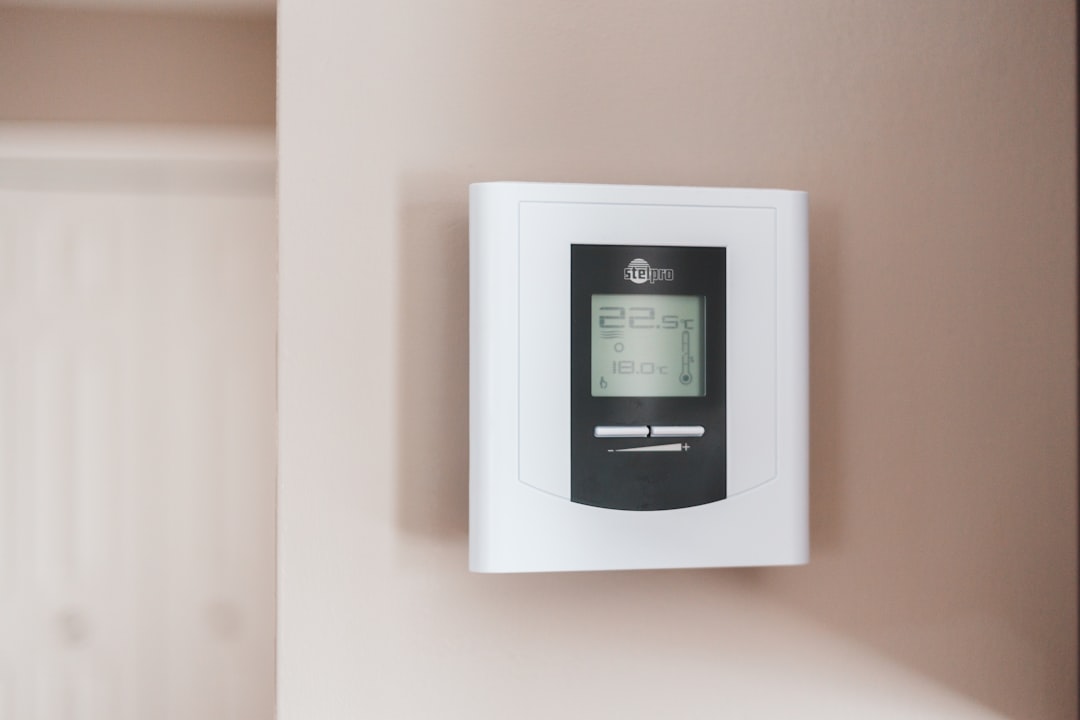
Photo by Erik Mclean on Unsplash
Safety note: Thermostat wiring is low voltage (24V on most systems), which is generally safe to handle yourself. However, if your system runs on line voltage (120V or 240V), which some older electric baseboard heaters do, do not attempt a DIY swap. Turn off the breaker before touching any wires. If you are unsure what voltage your system runs at, call a licensed HVAC technician. Also, if you have a gas furnace, test your CO detector before and after any HVAC work. Replace it if it is more than five years old.
Why Older HVAC Systems Have Different Thermostat Requirements
Most modern programmable thermostats are designed for standard 24-volt systems with at least a C-wire (common wire) to provide continuous power. Older systems often lack a C-wire entirely, or they use wiring schemes that predate modern conventions.
Here are the three main wiring situations you encounter in older homes:
Two-wire systems are common in homes with older forced-air furnaces or boilers that only heat (no cooling). The two wires carry a simple on/off signal. Many modern thermostats want a C-wire for power, so they either do not work at all, or they use power-stealing circuits that can cause the system to behave erratically.
Millivolt systems generate their own tiny voltage from a standing pilot flame, usually 250 to 750 millivolts. These are found in older floor furnaces, wall heaters, and some gas fireplaces. Standard 24V thermostats will not operate them at all. You need a millivolt-rated thermostat.
Standard 24-volt systems without a C-wire are the most common situation in homes built before the mid-1990s. If you count your wires and find only two, three, or four, with no wire connected to the C terminal on your old thermostat, you fall into this group. Some programmable thermostats handle this with battery power. Others include a C-wire adapter.
Understanding which situation you have determines everything else in this guide.
How to Check Your System Compatibility Before Buying
Before purchasing any thermostat, spend five minutes at your existing thermostat to document what you have. This step will save you a trip back to the hardware store.
Step 1: Turn off your HVAC system at the breaker. Do not just set it to “off” at the thermostat. Kill the breaker feeding the air handler or furnace.
Step 2: Remove the thermostat cover. Most snap off or have a single screw. You will see a wiring plate behind it.
Step 3: Photograph the wiring before touching anything. Note which wire goes to which terminal. Terminal labels are typically single letters: R (power), W (heat), Y (cool), G (fan), C (common).
Step 4: Count the wires and note the terminal labels. If you see only R and W, you have a two-wire heating-only setup. If there is no C terminal with a wire on it, note that. If your existing thermostat has no batteries and seems to run on the system power alone, check whether you have millivolt (look for tiny wire gauges, often 18-22 AWG but with no transformer in sight).
Step 5: Check your furnace or air handler nameplate. The voltage should be listed. 24VAC is standard. If it says 24VAC and you have a transformer visible near the unit, you have a standard system.
Once you know your wire count, voltage, and C-wire status, you are ready to shop.
Our Top Picks for Older HVAC Systems
We tested and reviewed these based on compatibility with older two-wire and no-C-wire setups, ease of programming, and reliability over time.
| Thermostat | Best For | C-Wire Required? | Millivolt? | Price Range |
|---|---|---|---|---|
| Honeywell Home RTH2300B | 2-wire heating-only, basic budget | No | No | $ |
| Honeywell Home RTH6360D | No-C-wire 24V systems, 5-2 scheduling | No (battery) | No | $$ |
| Emerson 1F78-151 | Single-stage older systems, simplicity | No | No | $ |
Honeywell Home RTH2300B 5-2 Day Programmable Thermostat
The RTH2300B is one of the most widely compatible basic programmable thermostats available. It runs entirely on batteries, which means it does not need a C-wire at all. This makes it a reliable choice for older heating-only systems with two-wire setups.
Programming is genuinely simple: two schedules (weekday and weekend), four time periods per day. The display is large and clear. In our experience with older homes, this thermostat installs cleanly on two-wire systems without the system short-cycling or behaving oddly, which can be a real problem with power-stealing designs.
It does not support cooling, so if you have a two-wire heating-only setup, that is fine. If you need heat-and-cool control, look at the RTH6360D instead.
Honeywell Home RTH6360D 5-2 Day Programmable Thermostat
The RTH6360D handles both heating and cooling on systems without a C-wire, using batteries for power. This is the sweet spot for older homes that have a central furnace and window or central AC but wiring from the 1980s or earlier.
It supports heat, cool, auto, and fan modes. Smart Response Technology learns how long your system takes to reach the set temperature and starts the cycle early so you hit your target on schedule rather than ten minutes after. The backlit display is easy to read across the room.
We have found this model particularly useful when the alternative is running a new C-wire through finished walls, which is a significant job in older homes with plaster or paneling.
Emerson 1F78-151 Single-Stage 5-2 Day Programmable Thermostat
The Emerson 1F78-151 is a no-frills, battery-powered programmable thermostat that works with most single-stage 24V systems. It is a good choice when you want the simplest possible upgrade from a manual thermostat on an older forced-air system.
Programming follows a 5+2 schedule with four periods per day. Installation is straightforward, and the thermostat works with gas, oil, or electric single-stage systems. It is not millivolt compatible, so do not use it on a floor furnace or standing-pilot wall heater.
What About Millivolt Systems?
If your home has a millivolt system (older gas floor furnace, some wall heaters, radiant systems with standing pilot), you need a thermostat specifically rated for millivolt operation. None of the three models above will work on these systems.
For millivolt systems, look for thermostats marketed explicitly as “millivolt compatible.” The Honeywell Home T822K1018 and the Robertshaw 300-202 are two options commonly used for this application. Verify millivolt compatibility in the product specs before buying.
If you are unsure whether you have a millivolt system, call an HVAC technician before purchasing anything. Connecting the wrong thermostat to a millivolt system will not damage anything, but it will not work either, and the wiring can be confusing.
Installation Tips for Older HVAC Systems
Once you have the right thermostat for your system, installation on older wiring is a bit different from a straightforward modern swap.
Label every wire before removing the old thermostat. Use masking tape and a marker. Write the terminal label next to each wire. Then take a photo. This takes two minutes and prevents a lot of frustration.
Check for a C-wire you did not know about. Sometimes there is a wire tucked behind the thermostat that was never connected. It may have paint on it or be folded back into the wall. Pull it out and see if it fits the C terminal on your new thermostat. This is the easiest C-wire solution available and it costs nothing.
Do not force wires into terminals. Older wiring may be brittle, especially aluminum wire from the 1960s and 1970s. Strip only what you need. If the wire breaks off too short to reach the terminal, you may need to extend it with a short piece of thermostat wire and a wire nut.
Turn on the system and test all modes before you reassemble and put the cover on. Call heat, check that the furnace fires. Call cool, check that the compressor starts. Call fan-only and verify the fan runs. Finding a wiring mistake takes ten seconds at this stage. Finding it after the cover is on takes longer.
If you are not comfortable with electrical work, hire out. Thermostat installation is a low-cost service call for an HVAC tech, typically under $100. For older homes with unusual wiring, that may be money well spent.
Common Mistakes When Upgrading Thermostats in Older Homes
Buying a smart thermostat that requires a C-wire. Most Nest, Ecobee, and similar Wi-Fi thermostats require a C-wire or include an adapter that may not work reliably on all older systems. If you want smart features on an older system, research C-wire adapters carefully or have an HVAC tech install a C-wire first.
Assuming compatibility based on brand. Just because a thermostat is from Honeywell does not mean it works with every Honeywell system, and vice versa. Check the thermostat’s compatibility guide for your specific wire count and system type before buying.
Not labeling wires before removal. This is the most common DIY mistake. The terminal labels on your old thermostat may differ from those on the new one, and without labels on the wires themselves, you are guessing. Guessing wrong means the fan runs continuously, or the heat and cool functions are swapped.
Ignoring the system’s response to the new thermostat. After installation, run each mode for five minutes and listen. Short-cycling (system turns on and off rapidly), the furnace not igniting, or the compressor not engaging all indicate a wiring issue. Do not ignore these signs and assume they will sort themselves out.
Skipping the battery replacement reminder setup. Battery-powered thermostats on older systems will lose their schedule when batteries die. Set up the low-battery alert in the thermostat settings so you get advance warning before it resets to default temperatures.
For more on reading and understanding what your HVAC system is doing, see our guide to HVAC annual maintenance: DIY tasks vs. pro calls.
FAQ
Can I use a smart thermostat on an older two-wire system?
Sometimes. Some smart thermostats, like the Ecobee with its included Power Extender Kit, are designed to work on two-wire systems. However, compatibility depends on your exact system. Two-wire heating-only setups are the trickiest case. Check the manufacturer’s compatibility tool before buying, and be prepared for the possibility that a basic programmable thermostat is the better fit for your system.
My old thermostat has no batteries. How does it get power?
If your old thermostat has no batteries, it is either line-voltage (120V or 240V, common with electric baseboard heaters) or it is drawing power from the C-wire on your system. If you have a C-wire, any modern thermostat should work. If it is line-voltage, you need a line-voltage thermostat, which is a different category entirely. Do not install a standard 24V programmable thermostat on a line-voltage system.
Will a programmable thermostat actually save money on an older system?
Yes, if you use the programming features. According to the U.S. Department of Energy, setting your thermostat back 7-10 degrees for eight hours per day can save around 10% per year on heating and cooling costs. An older system with a manual thermostat is almost always running more than necessary, because manual thermostats depend on someone remembering to adjust them. A programmable thermostat does that automatically.
My system has only two wires: red and white. What thermostat works?
Red and white is the classic heating-only two-wire setup. Look for thermostats that explicitly state battery-powered operation and no C-wire required. The Honeywell RTH2300B listed above is a reliable choice for this situation. Avoid thermostats that use power stealing, which can cause intermittent short-cycling on some older furnaces.
How do I know if my system is millivolt?
The simplest way: if your old thermostat is mechanical (bimetallic coil, no display, no batteries) and your heater has a standing pilot light that is always burning, you likely have a millivolt system. You can also use a multimeter set to DC millivolts and touch the two thermostat wires together with the system off. A reading of 100 to 750mV with no power source running confirms millivolt. Do this check before buying any thermostat.
Next Step: Program Your New Thermostat for Real Savings
A programmable thermostat only saves money if you actually program it. Once your new thermostat is installed and working, set the schedule based on your actual daily routine: lower heat or cooling when everyone is asleep, raise it 30 minutes before you wake up, drop it again when the house is empty during the day. That pattern alone, applied consistently, is where the savings come from.
If you are also evaluating whether your system’s efficiency is up to par, our overview of Energy Star ratings for HVAC equipment explains what the labels mean and when upgrading the system itself makes financial sense.
Bookmark this guide so you have the compatibility checklist and product list handy the next time a thermostat decision comes up.