How to Extend the Life of Your HVAC System
This post contains affiliate links. As an Amazon Associate, I earn from qualifying purchases at no extra cost to you.
Your HVAC system is designed to last 15–20 years if maintained properly, but many homeowners get 10 or less because they neglect seasonal care, ignore warning signs, and push the equipment too hard. A residential furnace or air conditioner that runs constantly without breaks, with clogged filters and leaking ducts, will fail early. One that receives regular filter changes, annual professional service, and smart operational habits will run longer than expected and deliver better efficiency throughout its life.
The difference between a system that dies at 10 years and one that runs to 18 comes down to preventive maintenance. Most of it is inexpensive and requires minimal technical skill. This guide covers the maintenance and operational practices that actually extend system life - not vendor-pushed “tune-ups,” but the specific tasks that prevent dust damage, refrigerant loss, compressor strain, and electrical failures.
The statistics are sobering: studies by the Air Conditioning, Heating and Refrigeration Institute (AHRI) show that systems receiving annual preventive maintenance last 3-5 years longer on average and operate 15-25% more efficiently than neglected systems. That efficiency gain alone pays for maintenance costs while reducing your utility bills. Meanwhile, a single missed maintenance task - like a clogged filter - can trigger a cascade of failures that end your system’s life prematurely.
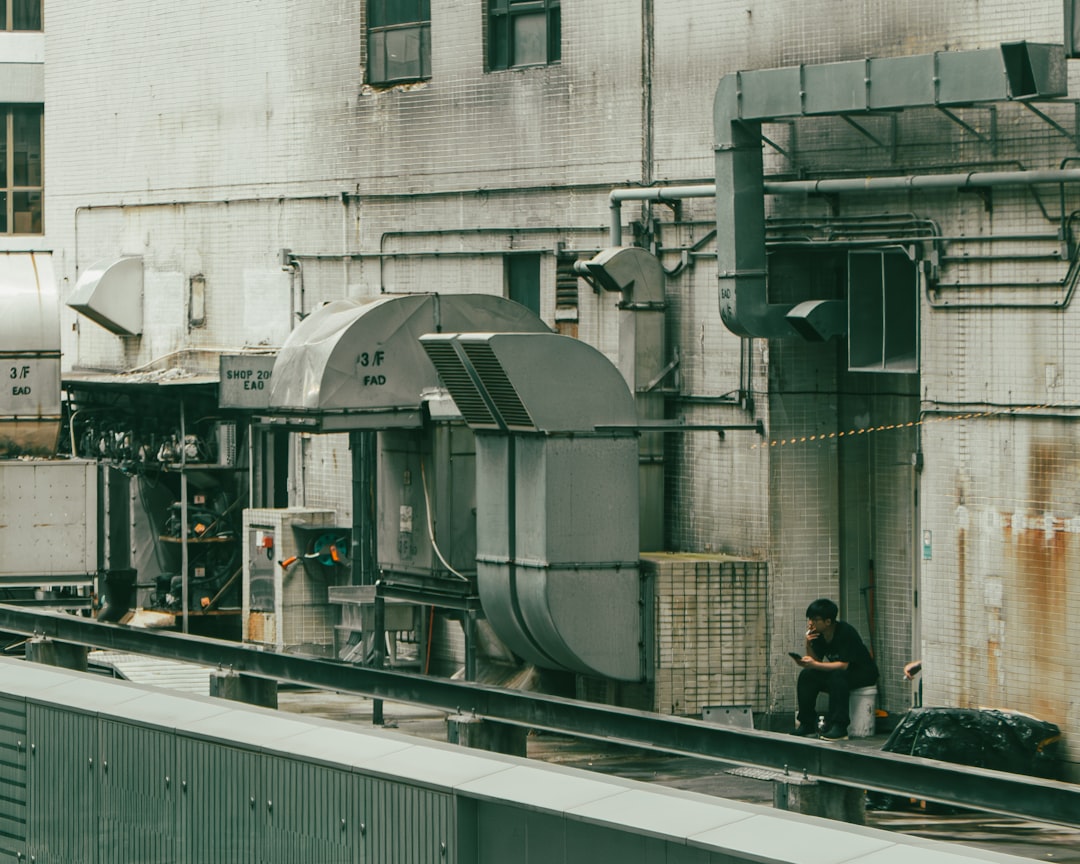
How to Extend Your HVAC System’s Life: 5 Core Steps
Follow these five essential maintenance tasks to maximize your system’s lifespan:
- Replace air filters every 1–3 months to prevent dust damage and compressor strain
- Keep outdoor condenser coils clear of debris, leaves, and grass clippings
- Inspect and seal ductwork leaks with mastic sealant to recover wasted efficiency
- Maintain steady thermostat settings to avoid short-cycling and compressor stress
- Schedule annual professional service before peak heating or cooling season
Each step is detailed below with specific instructions and cost information.
Replace Air Filters on Schedule (Every 1–3 Months)
The single most impactful maintenance task is changing your air filter frequently. A clogged filter restricts airflow, forcing the blower motor to work harder, which accelerates motor wear and reduces cooling and heating efficiency. Dust also accumulates on indoor coils, reducing heat transfer and putting strain on the compressor in AC systems. This combination - increased blower load plus reduced coil efficiency - is responsible for more early HVAC failures than any other single factor.
Replace your filter every 1–3 months depending on your household conditions:
- 1 month: If you have pets, active allergies, basement furnaces (more dust sources)
- 2 months: Most typical households
- 3 months: Single-occupant, single-story homes with minimal dust sources
Grab a Honeywell 16x25x1 Air Filter MERV 13 from Amazon or your local hardware store. MERV 13 filters capture dust without restricting airflow excessively, striking the right balance for residential systems. Do not use MERV 16 or higher filters in residential systems - they create excessive airflow restriction and damage the system over time.
Set a phone reminder for filter replacement. This costs $25–$50 per year and adds years to your system’s operational life. Most homeowners skip this task simply due to forgetfulness, not cost or difficulty.
Keep Outdoor AC/Heat Pump Coils Clear
If you have a central air conditioner or heat pump, the outdoor condenser unit needs clear airflow around it. Grass clippings, leaves, and debris block the coils, forcing the compressor to work at higher pressures and temperatures. Over time, this degrades the compressor bearings and reduces refrigerant circulation efficiency. A clogged condenser can also trigger thermal overload shutdown, protecting the compressor but indicating a problem that needs immediate attention.
The impact is significant. A condenser blocked by just 10% of its surface area can reduce cooling capacity by 5-10% and force the compressor to run 25-40% longer to reach the same cooling. This accelerated run time multiplies wear on all moving parts and reduces the lifespan of capacitors and contactors.
In fall and spring (before AC season starts and before heating season starts), rake leaves and trim grass around the unit. In summer, clear it monthly. Do not use a pressure washer - water jets can damage the aluminum fins and bend them inward, restricting airflow further. Use a soft brush and low-pressure water spray. If fins are bent, grab a fin comb (a specialized tool costing $10-15) to straighten them carefully.
Check that the concrete pad under the unit is level and not cracking. A settling or cracked pad can throw the compressor out of level, affecting refrigerant circulation and oil return to the compressor. Oil that doesn’t return to the compressor leads to lubrication failure and bearing damage. If you notice significant settling, have a technician inspect the unit’s mounting and consider a pad replacement before major damage occurs.
Inspect Ducts for Leaks and Seal Gaps
Leaky ducts waste 20–30% of conditioned air before it reaches the room you’re trying to heat or cool. This forced inefficiency makes the system run longer cycles, which increases wear on every component - the compressor, blower motor, capacitors, and contactors. Over a 15-year system life, duct leaks can age your equipment by 3-5 years due to extended runtime.
Check accessible ducts in the basement, attic, or crawl space for gaps at joints, holes from pests, or crushed insulation. Look for areas where ducts come together and tape appears loose or dirty. These are the biggest culprits for leakage.
For accessible leaks at ductwork joints, use mastic sealant (not duct tape - it fails after 3-5 years) and fiber mesh tape to seal them properly. Mastic forms a permanent seal that lasts decades and doesn’t dry out or peel like tape. Apply it generously around all joints, especially where ducts connect to the main trunk. For larger hole repairs or underground ducts, call a professional. Sealing 30% of visible duct leaks typically recovers about 10% of wasted energy and noticeably reduces the number of cycles your system runs, directly extending equipment life.
Also check that ducts are properly insulated, especially in unconditioned spaces like attics or crawlspaces. Damaged or missing insulation means heated or cooled air loses temperature before reaching the room, forcing the system to work harder. In some cases, adding insulation to poorly insulated ducts in unconditioned spaces can recover 15% of lost efficiency.
For indoor evaporator coil condensate drainage, ensure the drain line is clear and not blocked by algae or debris. A blocked drain backs up condensate, which can spill into your home and damage ceilings or floors. Use a condensate drain pan treatment once per season to prevent algae and mold buildup in the drain line, keeping it flowing freely.
Set Your Thermostat to Avoid Extreme Setpoints
Extreme temperature swings - keeping your house at 68°F in winter then raising it suddenly to 74°F in spring - cause the system to enter “recovery” mode where it runs at full capacity for hours. Frequent thermostat changes also trigger unnecessary cycles, particularly short cycling in AC units, which is a major cause of premature compressor failure. Each time your compressor starts up, it experiences mechanical stress and electrical surge that accelerates wear on motors, contactors, and bearings.
Short cycling is particularly damaging. It occurs when your AC cycles on and off every 2-3 minutes instead of running for normal 15-20 minute cycles. Each startup strains the compressor bearings and forces the motor to deliver peak torque dozens of times per hour. Over months, this accelerates wear that would normally take years.
Instead, set a steady comfort temperature for the season and adjust only once or twice seasonally. In winter, aim for 68–70°F during the day, 65°F overnight. In summer, 76–78°F during the day, 80°F overnight (with fans for cooling comfort). This reduces cycling stress and prevents compressor short-cycling. If you have a smart or programmable thermostat, use a weekly schedule that ramps temperature changes slowly over an hour, rather than sudden jumps.
Also avoid extreme setpoints like 60°F in winter or 82°F in summer. The system will run until it reaches that setpoint, potentially running for very long periods and accelerating wear. Moderation in setpoints is a key longevity strategy that your system’s lifespan will reward.
Service Your System Annually (Before Peak Season)
Once per year, have a licensed technician inspect your system, check refrigerant levels, clean indoor coils, tighten electrical connections, and verify that all components are operating within manufacturer specification. This visit costs $150–$250 and catches leaks, worn parts, and electrical corrosion before they become failures. Studies by the American Society of Heating, Refrigerating and Air-Conditioning Engineers (ASHRAE) show annual service extends system life by 3–5 years compared to reactive “repair only” approaches.
Schedule this in spring (before AC season) or fall (before heating season) when technicians are less busy and can provide more thorough service. A good technician will measure your system’s current draw (electrical amperage) and compare it to specs - an increase signals bearing wear or compressor degradation. They’ll also check your outdoor unit for leaks, inspect the condenser coils for corrosion, and ensure your refrigerant charge is correct.
A professional will verify that your system’s capacitors, contactors, and electrical components are not showing signs of wear, corrosion, or imminent failure. Capacitors fail predictably - if they’re near end of life, replacing them before failure prevents catastrophic damage to the compressor. Contactors (electrical switches) that are pitted or corroded create resistance that heats up and eventually fails. Early identification of these issues prevents failures that cost $3,000-$5,000 and kill your system.
The annual service cost of $150-$250 is recovered many times over by extending system life. A system that dies at 12 years costs you an early replacement. The same system maintained annually might run to 18-20 years, saving you $5,000-$10,000.
Monitor for Warning Signs and Act Quickly
A system beginning to fail often gives weeks or months of warning before complete shutdown. Catching these signs early and acting on them is the difference between a $300 repair and a $7,000 replacement.
Watch for these warning signs and call a professional immediately if you notice them:
-
Reduced cooling or heating in one or more rooms. This indicates either duct blockage/leakage or compressor weakness. If the entire house is cool but one room stays warm, check for blocked vents or closed dampers first. If vents are clear and the problem persists, the compressor is losing capacity and needs inspection.
-
Unusual noises (grinding, hissing, clicking). Grinding indicates bearing wear. Hissing means refrigerant is escaping from a leak. Clicking could be electrical (contactor wear) or mechanical (compressor piston rods). None of these are normal and all get worse quickly.
-
Leaks around the indoor unit or outdoor condenser. Refrigerant leaks reduce cooling capacity and damage the compressor through inadequate lubrication. Condensate leaks indicate drain blockage and can cause water damage to floors and furniture.
-
The system cycling on and off more than once every 5 minutes (short cycling). This is a major compressor wear pattern. Short cycling multiplies startup stress and can shorten system life by years.
-
Outdoor unit not running during hot weather. The outdoor compressor should be running whenever the thermostat calls for cooling. If it’s not, the unit has lost power, the compressor contactor has failed, or the compressor itself is dead.
-
System running but not cooling or heating to setpoint. Low refrigerant or compressor wear both prevent the system from reaching your desired temperature. This requires professional diagnosis and repair.
Early repairs - a capacitor ($100-200), contactor ($150-300), or refrigerant top-up ($200-400)—cost $200–$500 total. Waiting until the system stops entirely means a $5,000–$10,000 replacement. The cost multiplier is enormous, and early action protects your investment.
Common Mistakes That Shorten System Life
Neglecting filters. Dust accumulation is the primary killer of HVAC systems. A clogged filter causes the #1 reason for early compressor failure in AC systems. If you do nothing else, change your filter regularly.
Running AC and heat simultaneously. If you have both, do not flip between them constantly. Running cooling then heat then cooling confuses thermostats and causes energy waste and mechanical stress. Use one mode per season.
Ignoring noise. Grinding, hissing, or clicking is not normal. These indicate bearing wear, refrigerant leaks, electrical issues, or failing compressors. Ignoring them leads to catastrophic failure. Get a professional evaluation immediately.
Oversizing supplemental heat. If you add space heaters, ensure they don’t trigger heat pump secondary heating (expensive electric resistance) unnecessarily. Improper auxiliary heat configuration adds $1,000–$2,000 per heating season in wasted energy and accelerates wear on the compressor.
Blocking vents or returns. Furniture in front of return air vents reduces airflow and creates dead zones, forcing the system to run longer cycles. Keep all vents and returns clear.
Skipping annual service. The most expensive mistake. Annual service costs $150–$250 and catches problems early. Skipping it invites catastrophic failures that cost thousands.
HVAC Maintenance Checklist
Keep this checklist handy and track when you complete each task:
Monthly:
- Visually inspect the thermostat and ensure it’s not in direct sunlight
- Check that vents and returns are not blocked by furniture or curtains
- Listen for unusual sounds (grinding, hissing, clicking)
Every 1–3 Months:
- Replace the air filter (or more often if you have pets or allergies)
- Note the filter replacement date in your calendar
Seasonally (Fall & Spring):
- Clear outdoor condenser/heat pump unit of debris and leaves
- Inspect accessible ducts for leaks and seal with mastic if needed
- Check that outdoor unit is level (concrete pad should not be cracked or settling)
- Visually inspect indoor unit for leaks or corrosion
Annually (Spring or Fall):
- Schedule professional service (inspection, coil cleaning, electrical check, refrigerant top-up if needed)
- Record the date and findings from professional service in a log
- Ask the technician to verify capacitor, contactor, and electrical connections are sound
FAQ
How often should I replace my HVAC filter?
Every 1–3 months, depending on household dust sources. Homes with pets, active allergies, or multiple occupants should replace more frequently (monthly). Homes with minimal dust sources can go 3 months. Set a phone reminder so you don’t forget. A clogged filter is the single biggest cause of early HVAC failure.
Can I extend my system’s life by running it less?
Partially, but the primary factors are maintenance and proper operation, not usage. A well-maintained system running 16 hours a day will last longer than a neglected one running 8 hours. Focus on filter changes, duct sealing, annual service, and avoiding extreme thermostat swings rather than trying to minimize operation.
Should I replace my 12-year-old HVAC system before it fails?
Not necessarily. If it’s running efficiently with no major repairs needed, it can run to 15–20 years. Have a professional inspect it annually to catch wear early. When repair costs exceed 50% of replacement cost, replacement becomes more economical. Do not replace a functioning system just because of age.
Can I save money by skipping annual service?
Not long-term. Annual service catches small problems (refrigerant leaks, worn capacitors, electrical corrosion) before they become expensive repairs or catastrophic failure. The $150–$250 annual service cost is recovered in extended system life and avoided emergency calls. This is one of the best investments you can make in your home.
What’s the difference between MERV 8, 11, and 13 filters?
MERV (Minimum Efficiency Reporting Value) rates how much dust a filter captures. MERV 8 captures about 20% of particles; MERV 13 captures about 75%. MERV 13 is the sweet spot for residential systems - it captures dust effectively without excessive airflow restriction. MERV 16+ filters are too restrictive for most residential systems and can damage the blower motor. Stick with MERV 13.
Conclusion
Extending your HVAC system’s life requires consistent, modest effort: filter changes, duct inspection, thermostat discipline, and annual service. These practices cost $200–$500 per year but add 3–5 years to system lifespan, easily saving you $3,000–$8,000 in early replacement costs.
Start this month by setting a phone reminder for monthly filter checks and scheduling a seasonal service visit for spring or fall. These two actions alone will push your system toward the 20-year mark. Ask your technician to document any findings and create a maintenance log you can reference later.
Your HVAC system is one of the biggest investments in your home. A few dollars and hours of preventive maintenance now pay dividends in extended life, lower energy bills, and avoided emergency repairs.
Related Reading
Check out these posts for more HVAC maintenance guidance:
- How to Improve Home Air Quality With Your HVAC System
- UV-C Air Purifiers for HVAC: Do They Actually Work?
Enjoyed this guide? Bookmark it for later or share it with a friend who might find it useful.
About the Author
The HVAC Owners Manual team researches heating and cooling systems to help homeowners understand what’s normal, what’s not, and when to call a pro. Our guides are built from manufacturer documentation, industry standards, and contractor-community knowledge.